How to play
A TV (or laptop) everyone can see, and everyone's phone.
1. Set up the TV
On the TV or laptop, open KARDX, pick Texas Hold'em and press Create table. The TV shows a QR code, the table's link and its code, and stays on the table for the whole game.
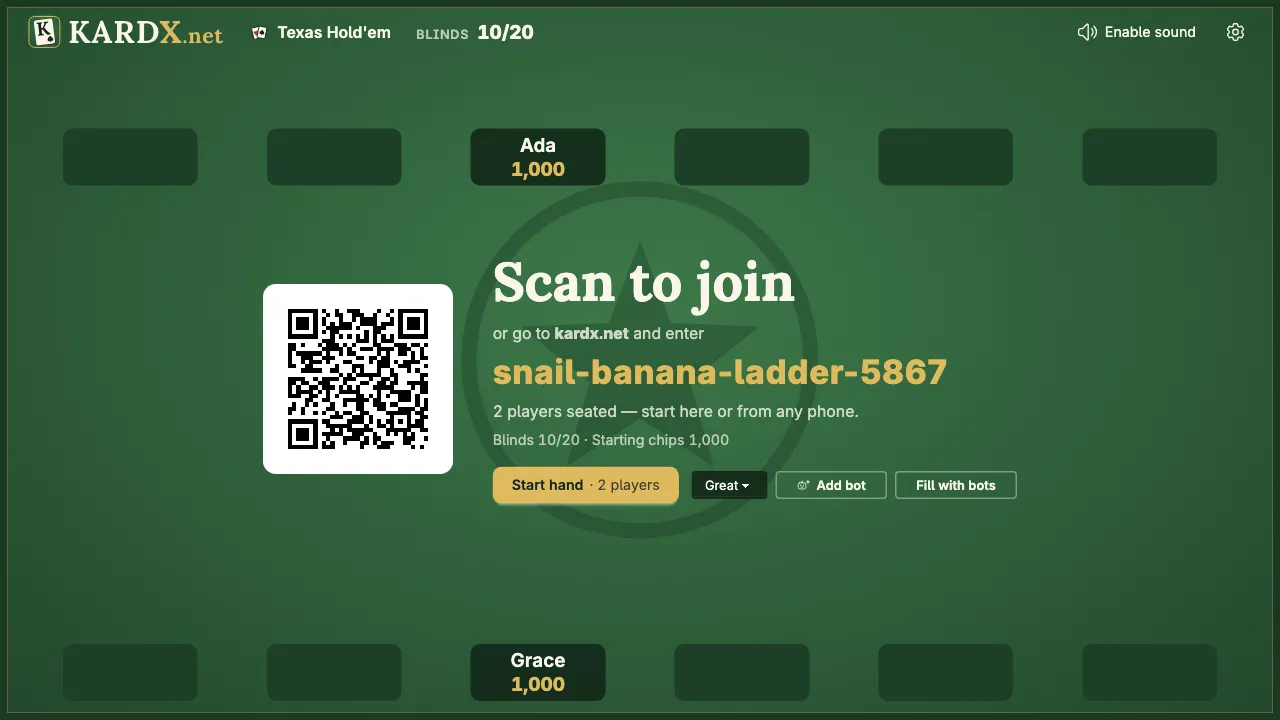
2. Join from your phone
Scan the QR code with your phone's camera (or type the table's code on the KARDX home page), pick a name and sit down. When everyone's in, anyone presses Start hand — on the TV or any phone.
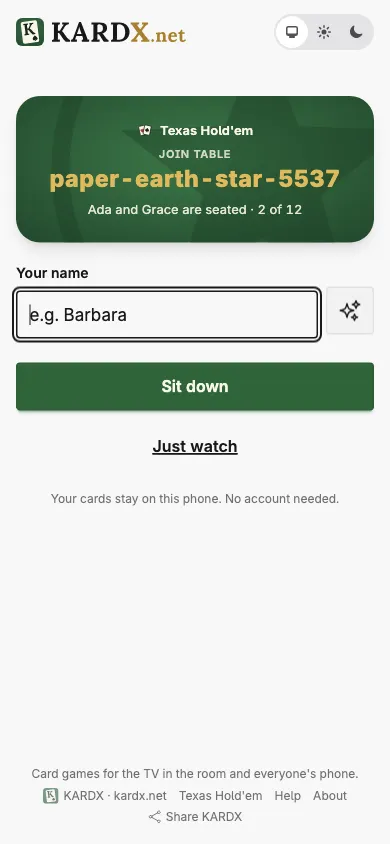
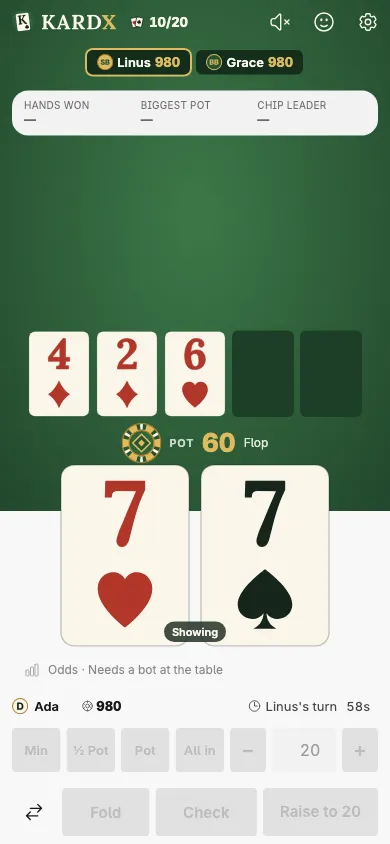
3. Your phone during a hand
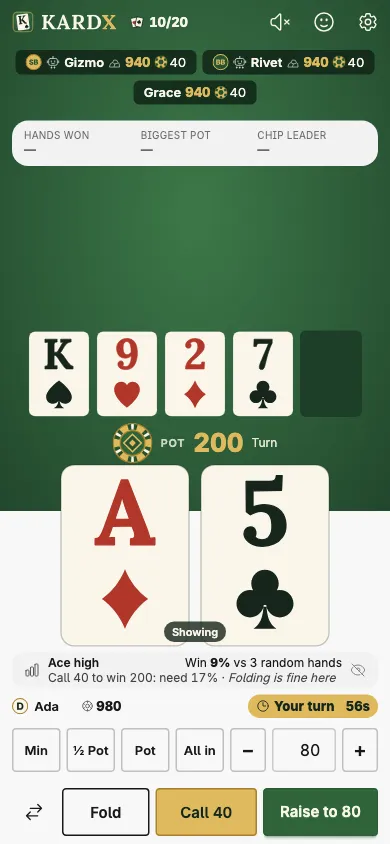
Your two cards stay hidden while you're not holding them, so nobody glances at them: hold them to peek, or double-tap them to keep them showing (on a computer, hold Shift). On your turn, the buttons at the bottom are yours: fold, check or call, or pick a raise with the quick sizes and the − / + buttons. Tap the face to send the table a reaction. Everything else — the table's code and Invite someone (its QR code and a link to send), the stakes, auto-deal, bots, sounds, leaving — is behind the ⚙ at the top.
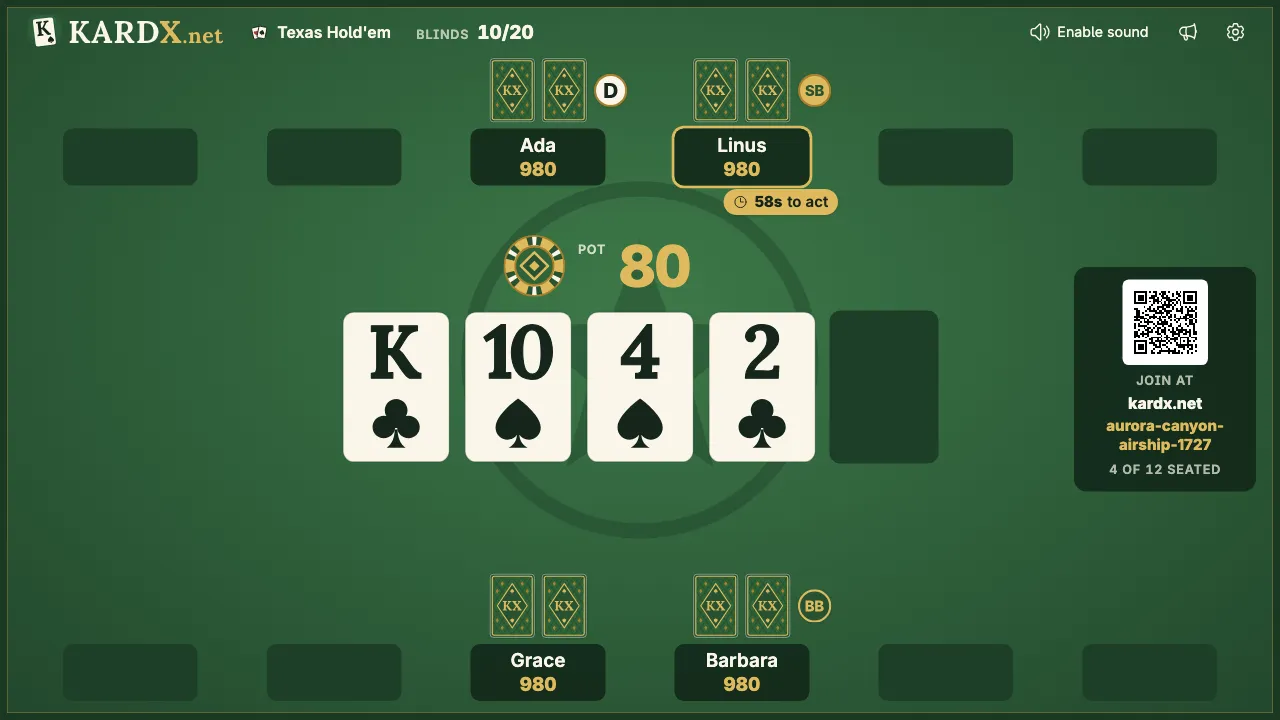
4. The TV during a hand
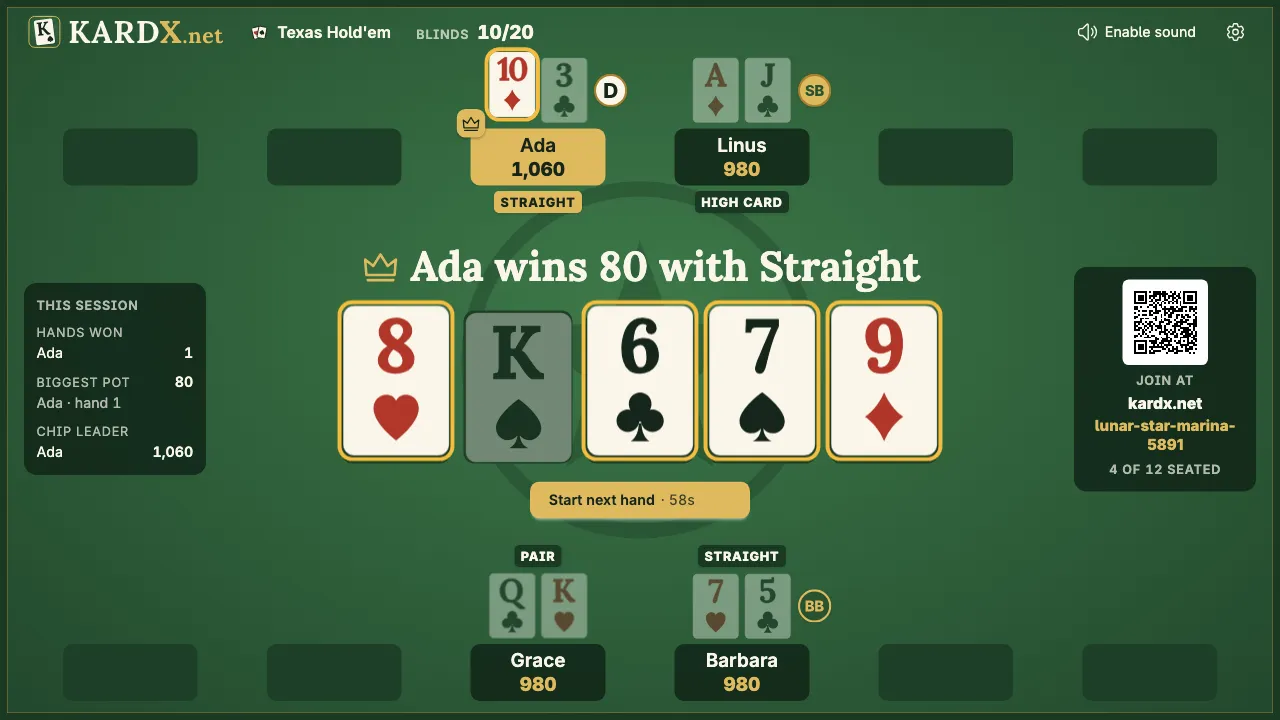
The TV shows the cards on the table, the pot, everyone's chips and whose turn it is, with their clock. D marks the dealer; the next two players post the small and big blinds (SB, BB). With only two players in, the dealer posts the small blind, so one seat shows both.
5. Showdown
At the end of a hand the cards still in are turned over and the TV says who won with what. The next hand deals by itself after a short countdown, or press Start next hand.
6. Watching
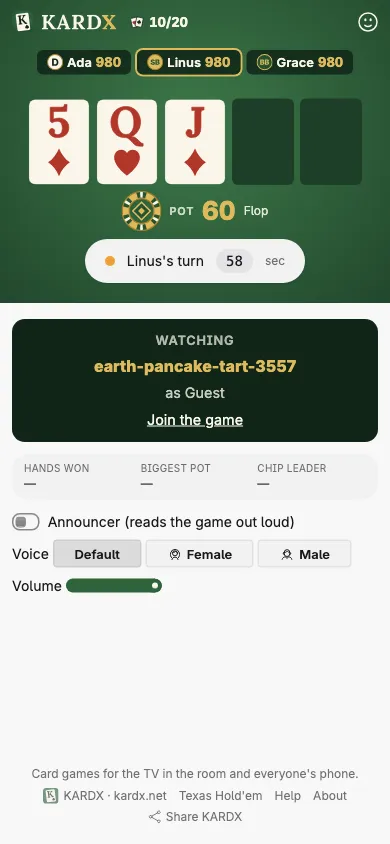
Not playing? Open the table's link and choose Watch to follow along on your phone and send reactions.
7. Bots and the odds panel
Short of players, or learning? In settings (the ⚙ at the top), Add bot seats a computer player — Good (the easiest), Great or Pro, with a style given at random (Rock, Calling Station, Maniac or Shark) — between hands, and Fill with bots seats a few at once; alone at a new table, Play with bots seats them and deals. With a bot at the table, Show odds on your phone tells you what your hand is, how strong it is (its rank among starting hands before the flop, its chance to win after it), what a call costs and what the Great bot would do.
The games
- Texas Hold'em No-limit poker. The TV deals, your phone holds your cards.
- Big Two Be first to play all thirteen cards. Four players, house rules or your own.
More tutorials and guides: Learn.