Tutorial · Texas Hold'em
How to host a poker night with a TV and phones
Run a Texas Hold'em night with no chips to count and no cards to shuffle. The TV is the table and each player's phone holds their cards. Free, no accounts.
- 5 minutes to set up
KARDX is a free card table for your TV: everyone plays on their own phone.
A poker night needs a table, a deck, chips, and someone who knows whose turn it is. KARDX covers all four with things you already have: the TV shows the table to the whole room, and each player's phone holds their two cards and their buttons. Nobody shuffles, nobody counts chips, and the pot is always right.
This walks through a night from opening the table to the last hand.
What you need
- A screen everyone can see. A laptop plugged into the TV is the surest way. A smart TV's own browser can work too, but they vary; if the table looks wrong there, use a laptop.
- A phone for each player. Any phone with a camera and a browser. There's no app to install.
- Internet. The TV and the phones only need to reach kardx.net. They don't have to be on the same Wi-Fi, so a friend on mobile data is fine.
That's it. There are no accounts to make, and the chips are play money: nothing to buy, nothing to win.
1. Open a table on the TV
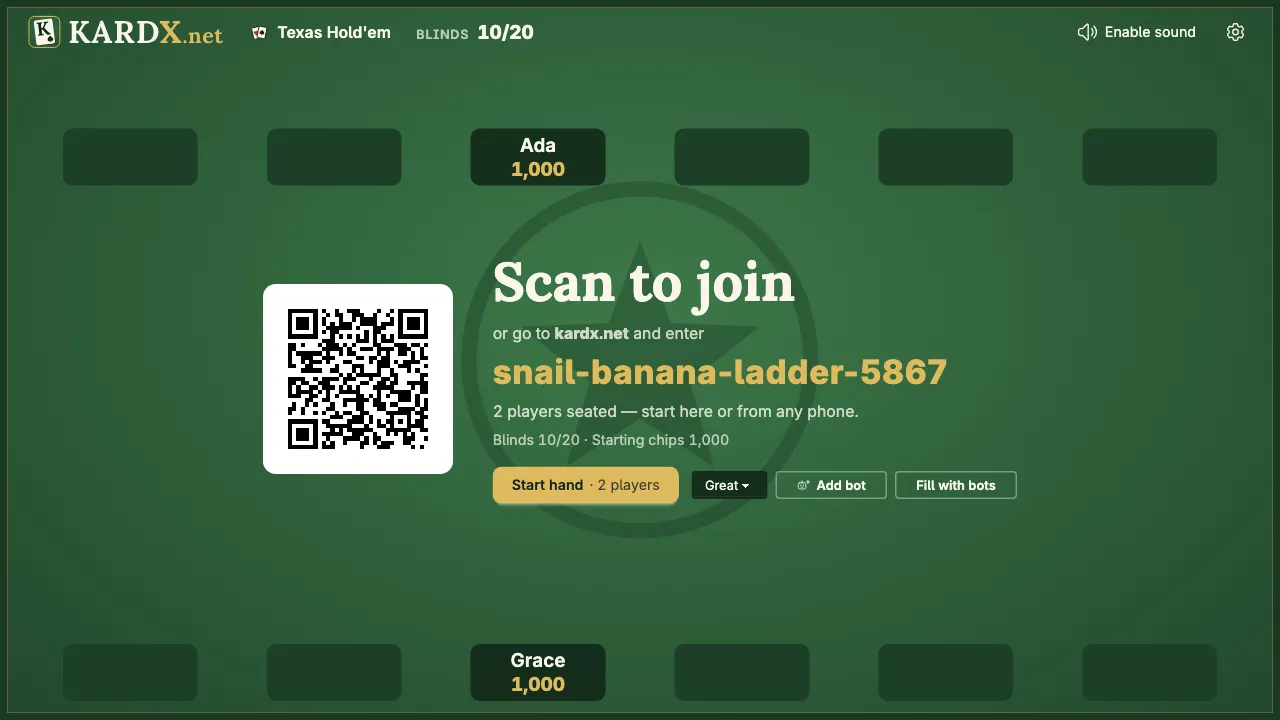
On the TV or laptop, go to kardx.net, pick Texas Hold'em and press Create table. The screen turns into the table and shows a QR code, the site's address and the table's code. It stays on the table for the whole night.
2. Everyone joins from their phone
Each player points their phone's camera at the QR code and opens the link. They pick a name (the sparkles button suggests one) and press Sit down. Their name appears at a seat on the TV.
No camera handy? Go to kardx.net on the phone and type the table's code under Join a table. Codes are made of words so they're easy to read out across a room.
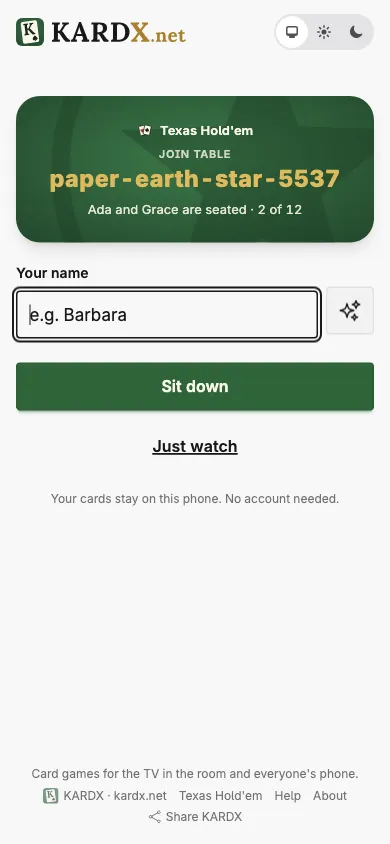
Two is enough to play, and a table has room for a big group.
3. Set the blinds and starting chips, or keep the defaults
A new table comes with starting chips and blinds that suit most nights, so you can skip this step.
To change them, a seated player opens the settings on their phone (the ⚙ at the top) before the first hand. You can set the blinds and the starting chips, and choose whether the blinds rise as the night goes on, and how often.
4. Deal the first hand
When everyone's seated, anyone presses Start hand, on the TV or on any phone. The TV deals, posts the blinds and rings the first player's seat in gold.
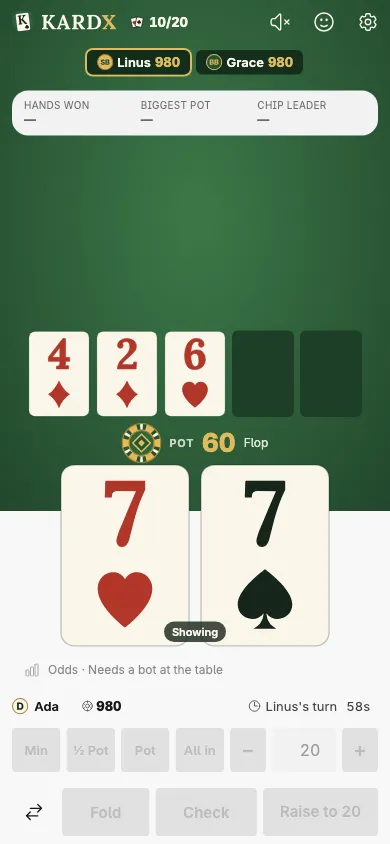
On your phone, your two cards are face down until you touch them: hold to peek, or double-tap to keep them showing. When it's your turn the buttons light up: fold, check or call, or raise with the quick sizes and the − and + buttons. Each turn has a clock, so one slow player can't stall the table.
New to the game? Texas Hold'em for beginners explains a hand from the blinds to the showdown, and the Texas Hold'em rules are a tap away from every table.
5. Follow the hand on the TV
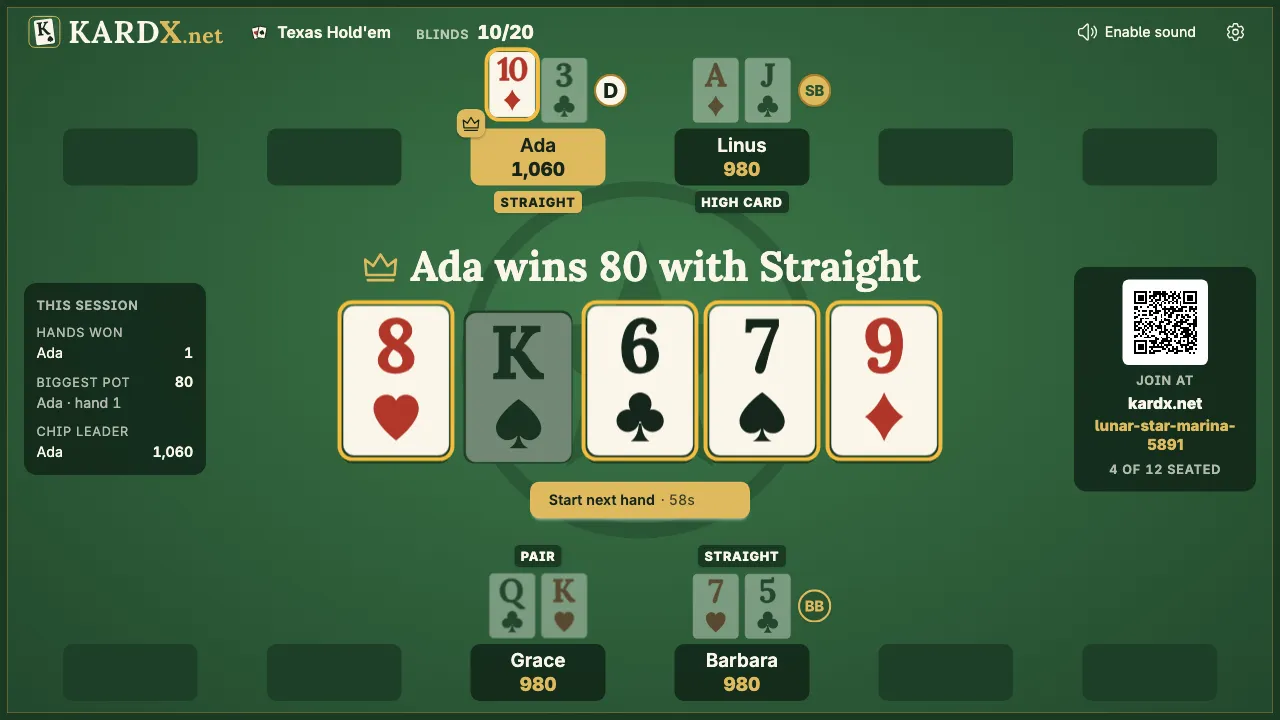
The TV carries everything the room shares: the cards on the board, the pot, everyone's chips, the dealer button (D) and the blinds, and whose turn it is.
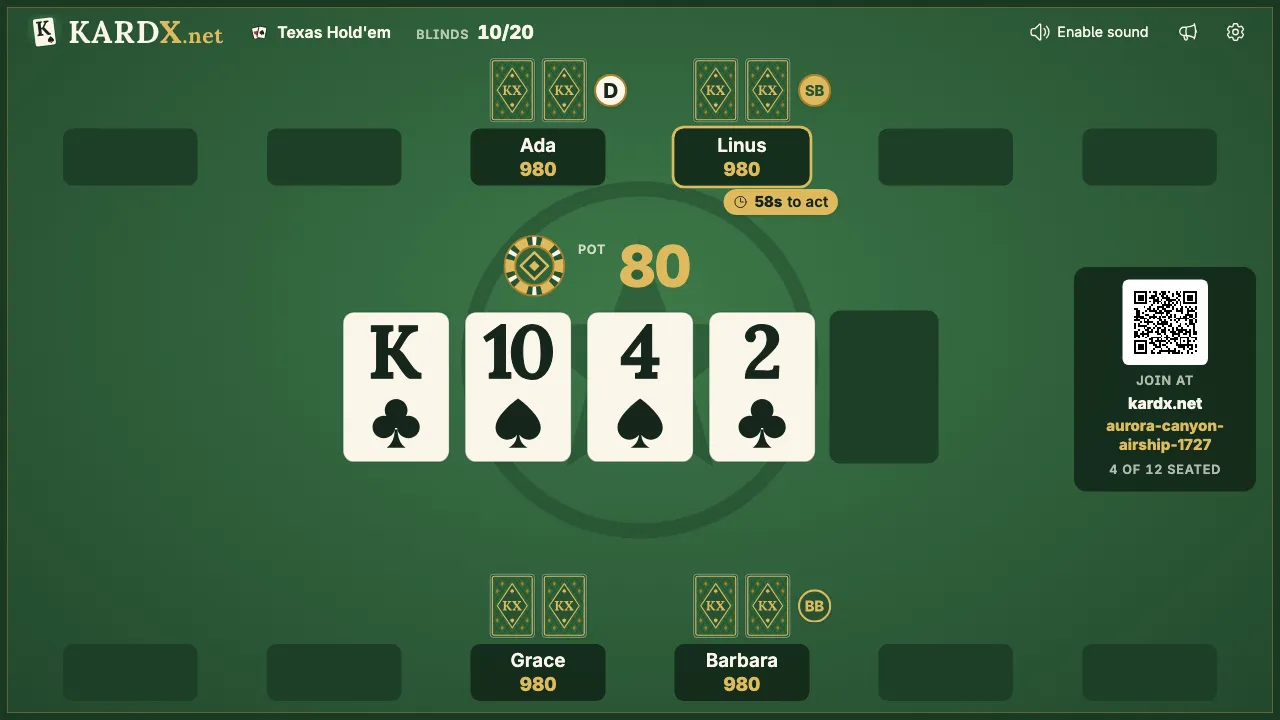
At the end of a hand, the cards still in are turned over and the TV says who won and with what. Side pots and split pots are worked out for you. The next hand deals itself after a short countdown, or anyone can press Start next hand.
6. Handle the things that come up
Someone arrives late. They scan the same QR code and sit down, or anyone at the table opens Invite someone in their phone's settings and shows them its QR code or sends the link. They're dealt in from the next hand.
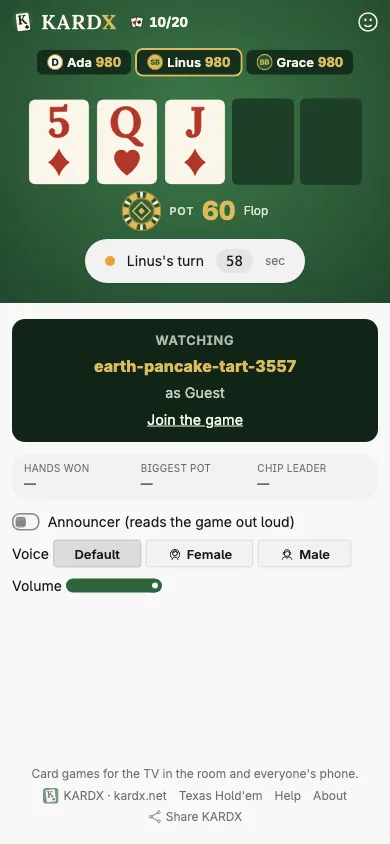
Someone only wants to watch. They open the table's link and choose Just watch. They see the table on their phone, without anyone's cards, and can send reactions.
You're short of players. In settings, on the TV or a phone, Add bot seats a computer player between hands. Bots come in three levels (Good, the easiest, then Great and Pro), and each is given a style of play at random. Practice against bots has more on them.
Someone runs out of chips. They're out until the table starts a New game, which puts everyone back at the starting chips.
A phone locks or loses its connection. The seat is marked on the TV, and the player is back in as soon as they reopen the page. Until then the clock moves the hand along without them.
7. End the night
There's nothing to pack up. Close the page on the TV and you're done. The table and everything in it (names, chips, cards) goes away from the server once it's been idle for a while. What your browser keeps, and for how long, is on the About page.
A few hosting tips
- Seat the screen, not the players. Everyone needs to read the TV. Nobody needs to sit in a circle, so the couch works. Why card games don't work on a TV is about why the cards go on the phones.
- Playing with real chips, or none? Poker night without chips compares pen and paper, stand-ins and a screen.
- Keep the hand rankings within reach. Beginners forget whether a flush beats a straight (it does). The poker hand rankings settle it.
- Learning? Add a bot and turn on the odds. With a bot at the table, Show odds puts your chance to win and the price of a call under your cards, and poker odds for beginners explains how to read it.
Try it
Deal one practice hand before the real game. Everyone turns their phone face up on the table, and you play the hand through to the showdown, saying out loud which buttons light up for whom and why. Five minutes here saves questions all night.
Texas Hold'em on KARDX
Open a table on the TV and everyone joins from their phone. Free, no accounts, and the chips are play money.
Keep reading
- Rules Texas Hold'em rules Texas Hold'em rules at a glance: how a hand goes from the blinds to the showdown, and the ten poker hands in order, best first, with pictures.
- Tutorial Hold'em for beginners Learn Texas Hold'em in ten minutes: the blinds, the four betting rounds, what you can do on your turn and who wins at the showdown, with a hand played out.
- Guide Poker hand rankings The ten poker hands from royal flush to high card, with pictures, how often each one comes up in Texas Hold'em, and how ties and kickers are settled.